Your inbox stops being the thing that eats your morning.

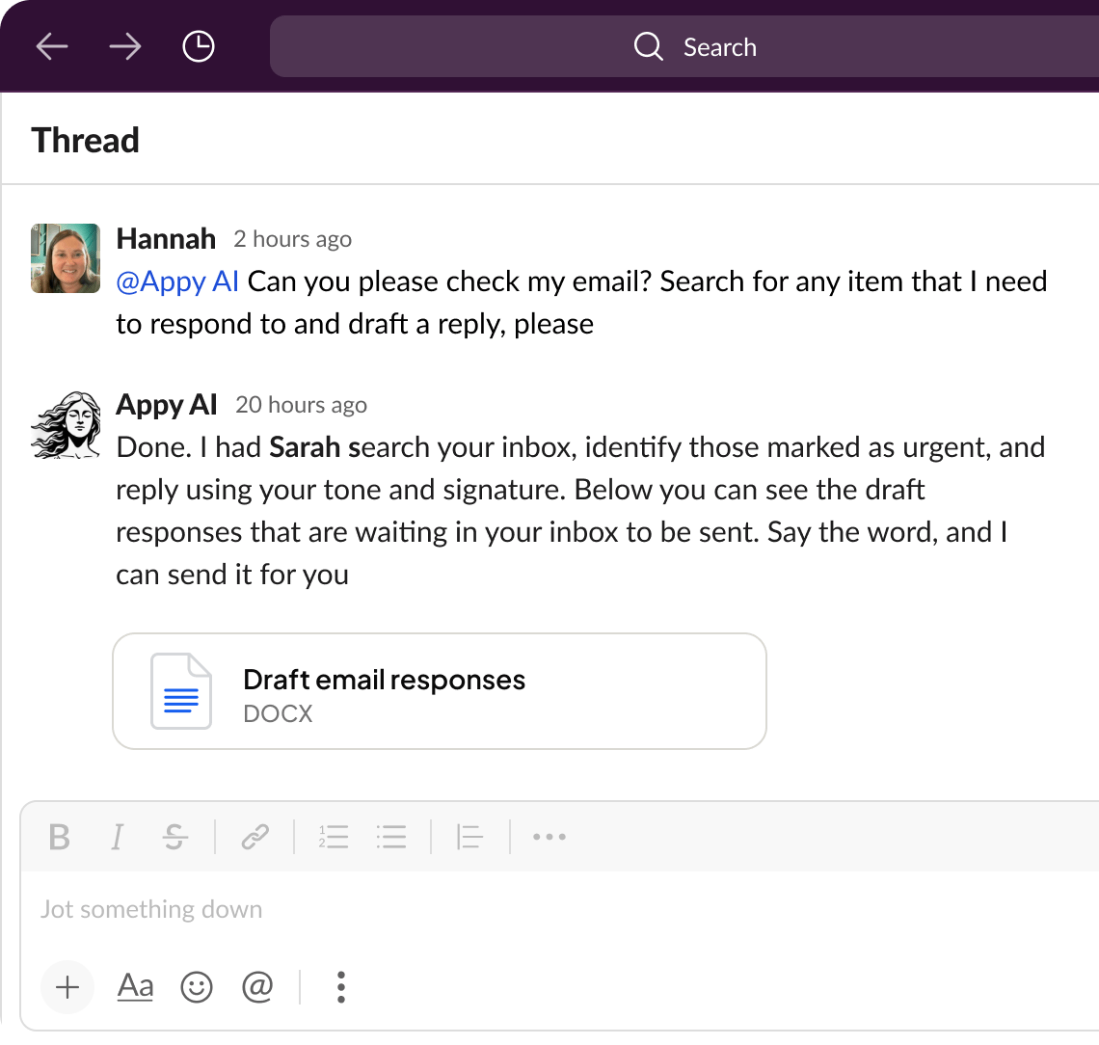
Forty-three unread. You haven't had coffee yet. A handful of these messages need real thought. The rest are the usual churn — a scheduling request, a "can you send that over," a follow-up you keep meaning to chase. You clear the easy ones first, and by the time you look up, the morning's gone and the work you sat down to do hasn't started.
The inbox isn't your job. It just acts like it owns the first two hours of every day.
What if the routine mail handled itself? Not deleted, not buried. Read, sorted, and replied to in your voice — with the ones that matter brought to you first.
Key Takeaways
Most of your inbox is predictable, and that's exactly what your agent takes off your plate. It reads each message, works out what it's asking, and decides whether it can handle the reply or whether you need to weigh in. Scheduling notes, confirmations, simple back-and-forth — drafted and queued. The messages that genuinely need a person rise to the top, already sorted.
The result: you skim a short list of things that need you, instead of mining the whole pile for them.
Your agent writes the way you write. You build it through conversation, so it picks up your habits along the way — how formal you get, the sign-off you favor, the way you turn someone down without sounding cold. When it drafts a reply, the words read like yours because they're modeled on yours.
You decide how it works. It connects to your real email account and acts on your behalf. Build it to bring drafts to you in chat so you can change a line and send, or let it handle routine replies on its own. The control comes from how you set the agent up, not a switch you flip after the fact.
Incoming mail is only half of it. Need to send a round of intro emails? Waiting on a quote that's gone quiet for a week? You can build an agent that sends the outreach and watches for replies, nudging the ones that have gone dark. The follow-up you'd normally forget gets handled on a schedule you set.
Will it send emails without me seeing them?
That's up to how you build it. You can have it bring every draft to you in chat before anything sends, or let it send routine replies on its own once you like how it handles them. You set that behavior when you build the agent.
Can it match my writing style?
Yes. Because you build the agent by describing how you work, it absorbs your tone, phrasing, and sign-off. Replies come out sounding like you wrote them.
What kinds of email can it handle?
Triaging incoming mail, drafting and sending replies, running outreach, and chasing follow-ups. If it's routine and repetitive, it's fair game.
Is my email account safe?
Your agent connects with your permission and works inside the limits you set. You hold the keys to access and approvals the whole way through.
The inbox doesn't have to own your morning. Build an agent that works it for you and take those two hours back. Learn more in the Help Center