Use Cases / Operations
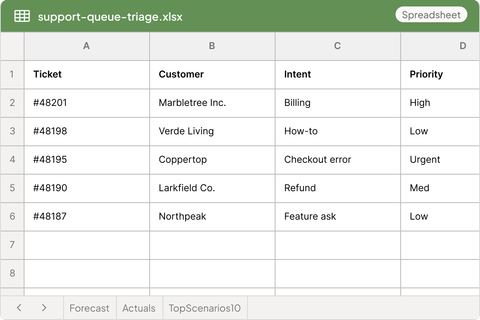
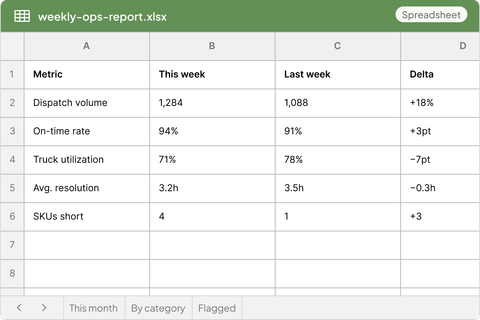
Sarah clears your inbox and preps every meeting before you open your laptop. Joy triages the support queue and drafts replies in your voice. Dexter turns scattered ops data into the report that's waiting Monday morning. None of it is a dashboard you have to check — it shows up where you already work.
 $100 in free credits
 No card required.
Pre-built operations coworkers
Assistants, support reps, and ops analysts that live in Slack and Teams. Think of Sarah as an AI executive assistant for the whole team — without the headcount.

Meet Sarah
Executive Assistant
Runs your day before you do — clearing the inbox, prepping every meeting, and turning conversations into action items that don't slip.
She's built to hold organizational context, not just conversation context. She learns how your business actually runs, and that understanding compounds over months instead of resetting every time you close a tab.

Meet Joy
Customer Support
Keeps your queue calm — triaging tickets, drafting replies in your voice, and turning what customers say into something the team can act on.

Meet Dexter
Business Ops
Turns scattered ops data into a clear read — spotting the variance, comparing periods, and flagging the anomaly before it becomes a fire.
Inbox & Calendar
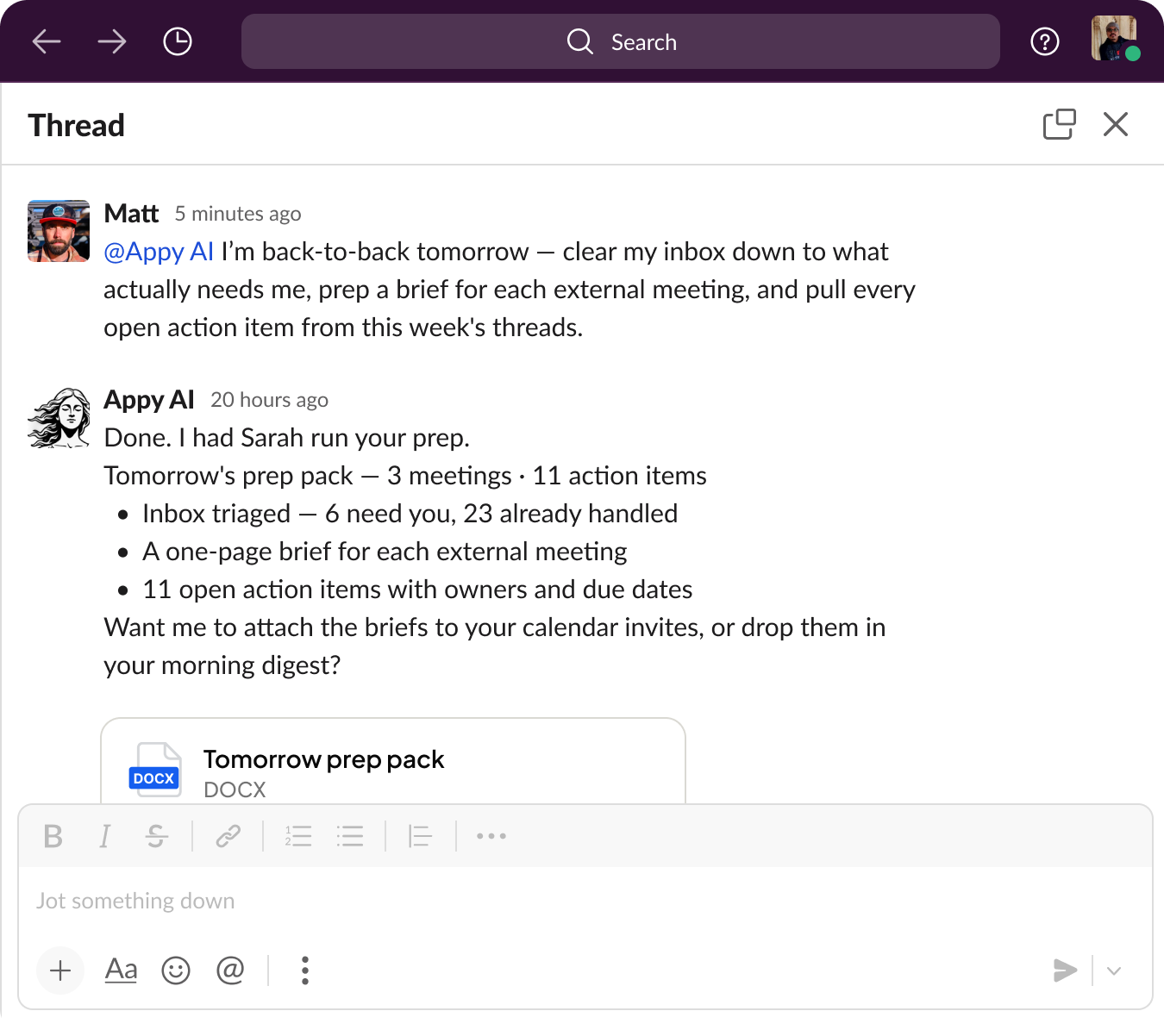
Sarah clears the noise, prepares a brief for every meeting, and pulls open action items into one place — kicked off with a single message in Slack.


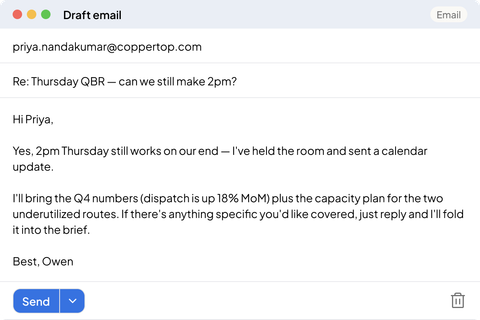
Your daily briefing is waiting before you open your laptop: what landed overnight, what needs a decision, what can wait.
Back-to-back calls. Sarah preps each one with the context, the history, and the open threads from last time.
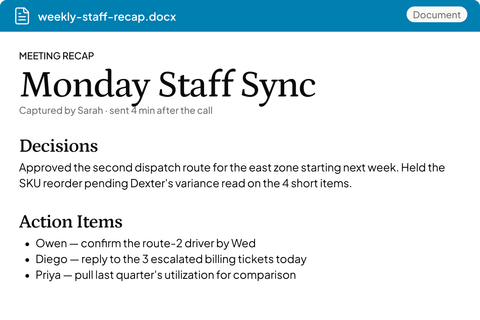
Decisions get logged as they happen, so nobody relitigates them on Friday.
Sarah rolls up the week across every thread, meeting and inbox she touched.
The end-of-week briefing writes itself, because everything in it was captured as it happened.
Real operations work, handled end-to-end by coworkers that know your team.
Executive Assistant
Point Sarah at your inbox and calendar and the coordination disappears — meetings prepped, follow-ups sent, and a clear action list waiting in Slack.
Sarah handles the coordination layer that most teams never fully automate. This is what agentic automation looks like in practice — not trigger-action rules, but goal-oriented work with judgment.
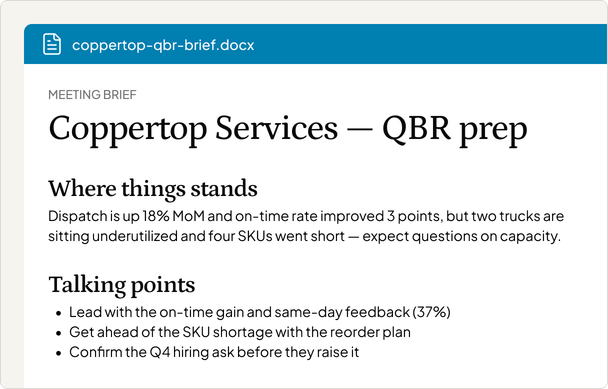
Front-line Support
Joy works the queue around the clock — triaging, drafting, and resolving the tickets so your team handles only the tickets that truly need a human.
The same AI coworker model applies across every business function. If you also need AI help on campaigns and content, see how Appy supports the marketing function. And if your team runs in Slack, see what separates working AI agents for Slack from a chat window.
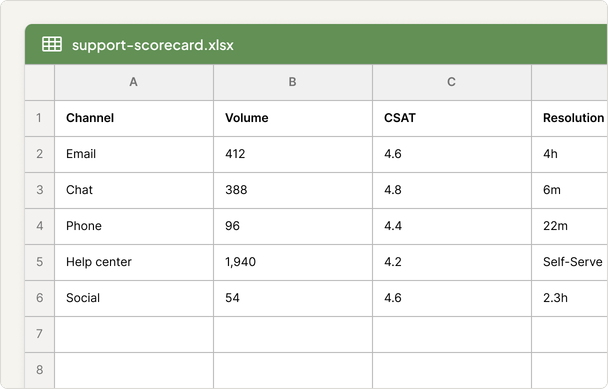
Ops Reporting
Describe the review and Dexter builds it — the report, the period comparison, and the two or three things actually worth debating, pulled from the numbers so you don't have to.
Unlike traditional workflow tools, Sarah, Joy, and Dexter use judgment to handle exceptions automatically. To understand how this compares to rule-based tools, see how Appy compares to Zapier alternatives.
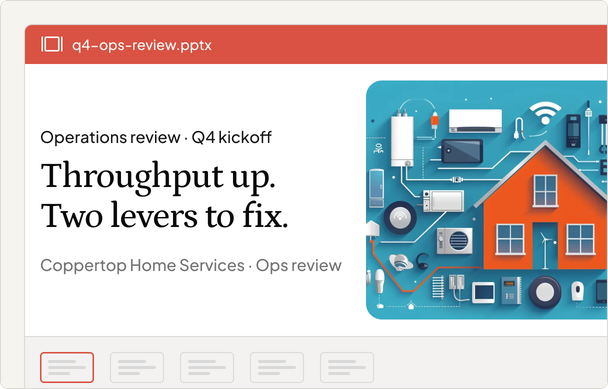
Operations Integrations
Your coworkers read and write across your inbox, calendar, and docs — plus 900+ more apps through native connectors.


These teams didn't want to build an automation platform — they wanted work done. Here's what they say after using Appy.
"I love the product. I can't not use it now... something like this needs to be part of my daily communication."

"Because it's embedded where I work, it feels conversational, like I'm interacting with my team"

"Appy is helping me go from AI chat, to AI co-creator to the next level of AI co-founder"

"I love the product. I can't not use it now... something like this needs to be part of my daily communication."
"Because it's embedded where I work, it feels conversational, like I'm interacting with my team"
"Appy is helping me go from AI chat, to AI co-creator to the next level of AI co-founder"
Just invite them to your Slack or Microsoft Teams workspace. Tag them in any thread with a task and they get to work — no dashboards, no new logins, and no onboarding sessions required.
Yes. Appy connects to Gmail, Outlook, Google Drive, Intercom, Zendesk, Asana, Calendly, and dozens more. Your coworkers can read emails, manage calendars, draft responses, and pull data without leaving the conversation.
Yes — connect your inbox and Sarah starts triaging immediately. Connect your support tool and Joy begins drafting responses. The more context you share about your team's voice and priorities, the tighter the output.
No — it replaces the coordination overhead that keeps your team from doing high-value work. Inbox triage, meeting prep, ticket drafts, and routine reporting all happen automatically so your team can focus on judgment calls, not busywork.
Most teams are up and running in under 30 minutes. Connect your tools, introduce the coworkers to your team in Slack, and they start working right away. No complex configuration or training required.
Add a team of AI operations coworkers today. One flat fee, no per-seat pricing.
$100 in free creditsNo card required.