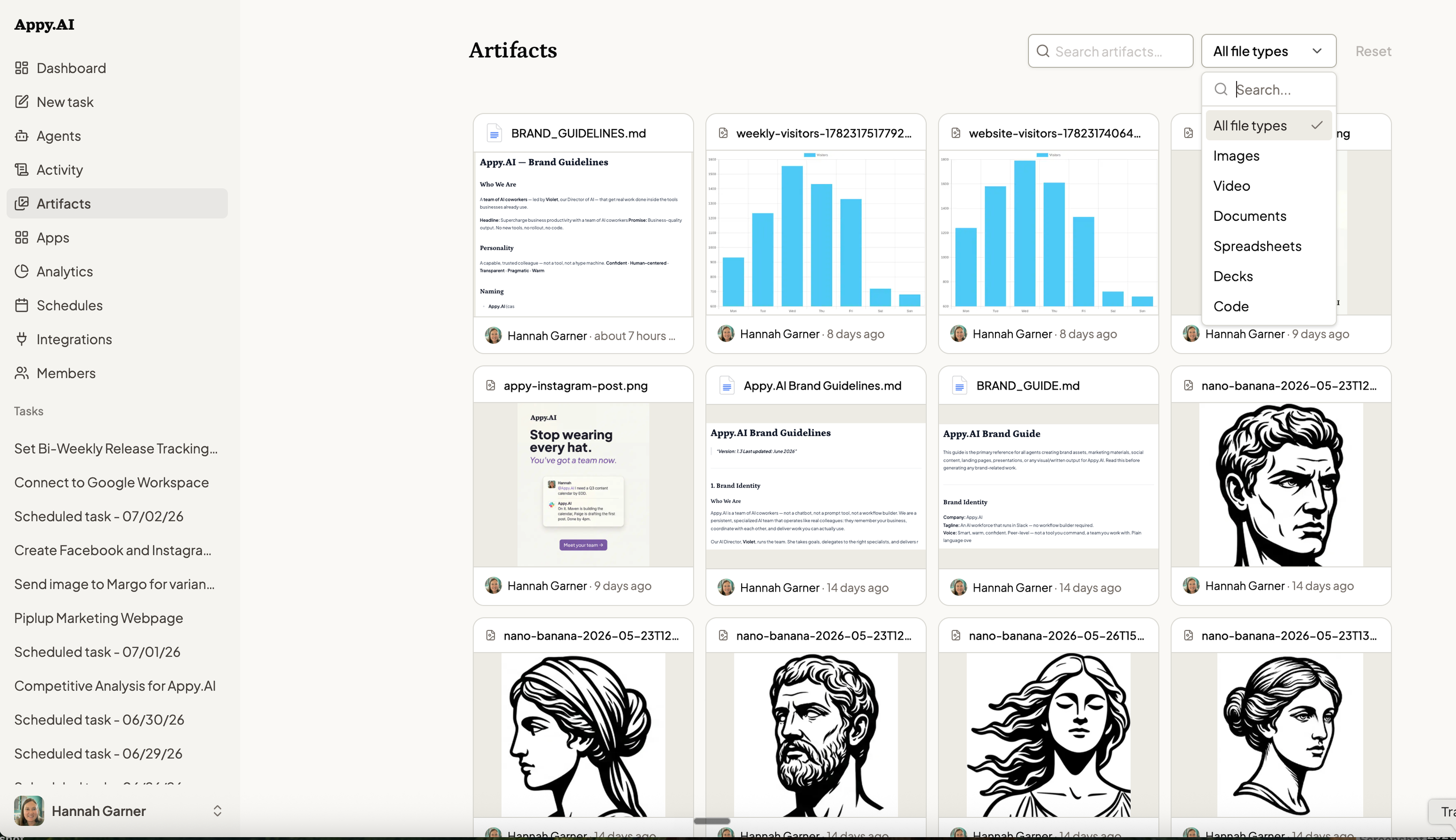
All your agent outputs — documents, images, videos, and more — now live in one gallery. Find anything, fast.

Every task they complete produces something. A report. An image. A video. A spreadsheet. Proof that the work got done.
But where does it go?
Key Takeaways
Until today, finding an agent's output meant one thing: dig through conversations.
You remember asking an agent to generate a report last Tuesday. You just don't remember which conversation it was in. So you scroll. And scroll. And eventually find it — or you give up and ask the agent to do it again.
This is the invisible tax on every team that runs AI agents at scale. The work gets done. The outputs disappear into the chat history.
Artifacts is a new section of Appy.AI that collects every output your agents have ever produced — in one place, accessible from anywhere.
Open it and you see everything: every document, every image, every video, every file your agents have generated. Sorted by recency. Searchable. Always there.
When agent outputs are easy to find, teams start treating them differently. You reference last week's competitive analysis in this week's strategy call. You pull the deck your agent built last month and update it instead of starting over. You stop rebuilding things you already built.
This is what it means for an AI workforce to have institutional memory. Not just doing the task — leaving something behind.

Related Updates
Every task your agents complete now leaves a permanent record. One click away.
No more searching. No more rebuilding. Just find it and use it. Get started in Appy.AI